Web control
Platform note: Web control is available on Windows and macOS only. It is not available on the Apple TV edition.
Under Apple’s App Store policies, apps that embed a full web browser are generally difficult to ship, so this capability is provided on the desktop editions only.
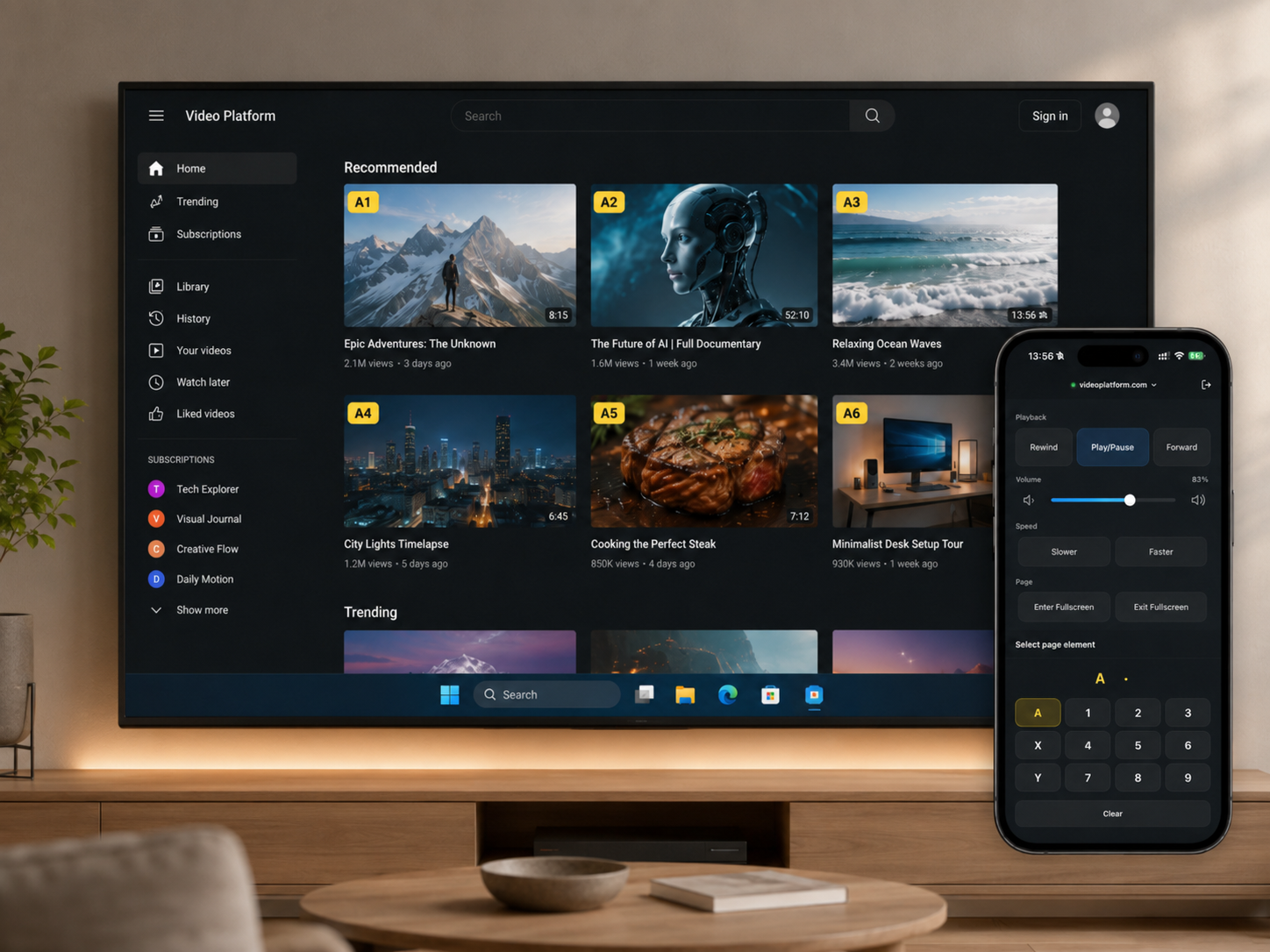
Web control lets you open a video website on the computer connected to your TV, then operate it from your phone. You can browse and play without walking over to a keyboard and mouse.
In the English interface, the built-in options include YouTube and Netflix. You can also save personal websites on this TinyPlay computer; every phone on the same local network can open them.
Sign in on the computer yourself, and follow each service's rules for accounts, memberships, regions, and supported devices.
How to use it
- Open Website library on your phone and choose a site.
- The site opens on the computer connected to the TV.
- Switch to Remote on your phone to play, pause, seek, or enter and exit fullscreen.
Saved personal websites use the generic remote, including Select page element for tapping buttons on the page. Site-specific shortcuts appear only for built-in services.
Notes
Web control turns ordinary browser actions on the computer into a remote that is easier to use from the sofa. It does not change what each service already allows: what you can watch, and whether ads appear, still depends on the account and subscription signed in on the computer.
If a website redesigns its player, some controls may need a later update. TinyPlay does not remove ads, bypass sign-in, membership, device, or regional restrictions, or provide downloading, recording, or rebroadcasting.