Connect a media server
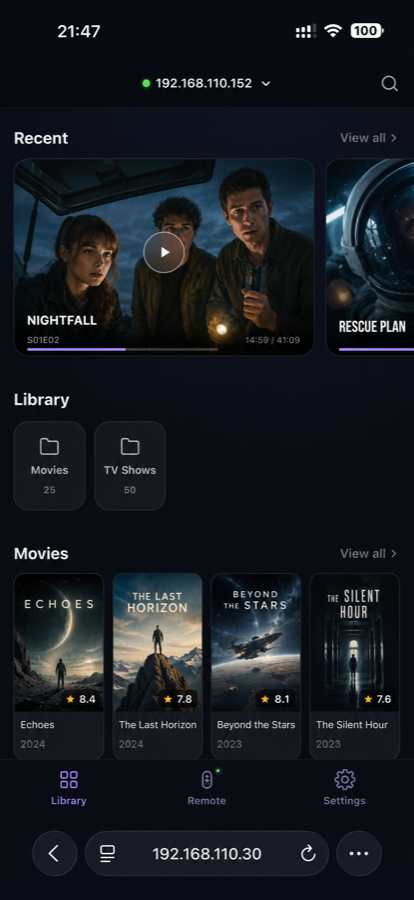
If Emby, Jellyfin, or Plex is already running on your NAS or computer, add it to TinyPlay as a media source. Your library appears as a poster wall with episode browsing, search, recently watched, and resume playback.
Add a media source
- Choose Add media source, then choose Emby, Jellyfin, or Plex.
- Enter the server address, port, and account details.
- After the connection succeeds, return to Library and start browsing.
The server address is usually the NAS or computer's local-network IP address, such as 192.168.1.100. Make sure your phone, the computer running TinyPlay, and the media server are on the same local network.
What you can do after connecting
- Browse movies, shows, and recently watched items in the poster wall.
- Search the whole library and choose an episode directly from a series.
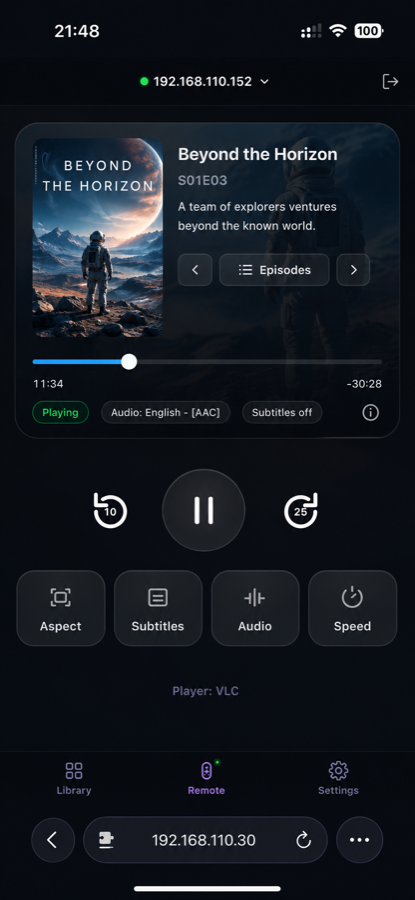
- Start playback, pause, seek, and switch subtitle or audio tracks from your phone.
Playback still happens on the computer connected to the TV. The media server organises the content; TinyPlay provides the phone-friendly control interface and TV playback.